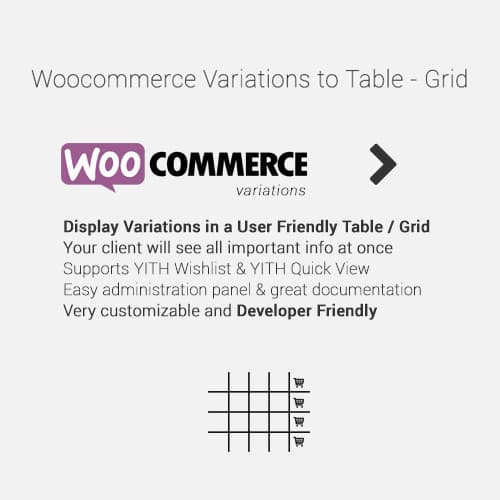
WooCommerce plugin displaying product variations in a table or grid format
WooCommerce Variations to Table - Grid
WooCommerce Variations to Table displays product variations in an organized table or grid layout instead of dropdown selectors. Customers see all variations at once with add-to-cart buttons for each.
Included with purchase:
- 100% GPL Licensed
- Lifetime Updates
- Technical Support
- Instant Download
Download for Free
Get this product and unlock 4,500+ premium plugins & themes for just $15.00/month.
What is WooCommerce Variations to Table - Grid?
WooCommerce Variations to Table is a premium WordPress plugin that transforms product variations into an easy-to-navigate table or grid layout, enhancing the shopping experience for customers. This plugin allows for bulk ordering with quantity selectors, sortable columns for product attributes, and multi-variation cart additions, making it ideal for stores with diverse product lines. Key features include a comprehensive table display that shows all variations simultaneously, improving product comparison for customers. The target audience includes WooCommerce store owners who want to optimize their product display and increase conversion rates. The plugin is compatible with the latest WooCommerce versions, ensuring reliable functionality. Available at PluginTheme.net with GPL license, instant download, and lifetime updates.
Key Features
Table Display
All variations shown in organized table or grid layout
Bulk Ordering
Add multiple variations to cart in one action
Sortable Columns
Sort by price, stock status, or attribute values
Quantity Selectors
Individual quantity inputs per variation
Running Total
Display total cost before adding selections to cart
Who is this for?
Pros
- Table display: All variations visible at once instead of hidden behind dropdowns
- Bulk ordering: Add multiple variations to cart from a single table view
- Sortable columns: Organize variations by price, stock, or attributes
- Quantity per variation: Individual quantity selectors for each variation row
- Running total: Display total cost of selected variations before adding to cart
Cons
- •Products with very many variations may create long tables requiring pagination
- •Table layout needs responsive adaptation for mobile screens
- •Changes default WooCommerce variation UI which may surprise returning customers
Product Description
WooCommerce Variations to Table replaces the standard dropdown variation selectors with a structured table or grid view. All product variations are displayed simultaneously, making it easier for customers to compare options and add specific variations to cart.
Display Options
- Table layout with sortable columns for attributes and price
- Grid layout with visual variation cards
- Show/hide specific columns (price, stock, SKU, description)
- Quantity selectors per variation in the table
Bulk Ordering
- Add multiple variations to cart from a single page view
- Quantity inputs for each variation in the table
- Select-all and bulk add-to-cart functionality
- Running total display for selected items
Customization
Customize table columns, sorting options, pagination for products with many variations, and responsive behavior for mobile displays where table layouts need to adapt.
Our Verdict
PluginTheme Team
Expert Reviewer
Variations to Table significantly improves the ordering experience for products with many variations. Wholesale and B2B stores particularly benefit from the bulk ordering capability and table overview.