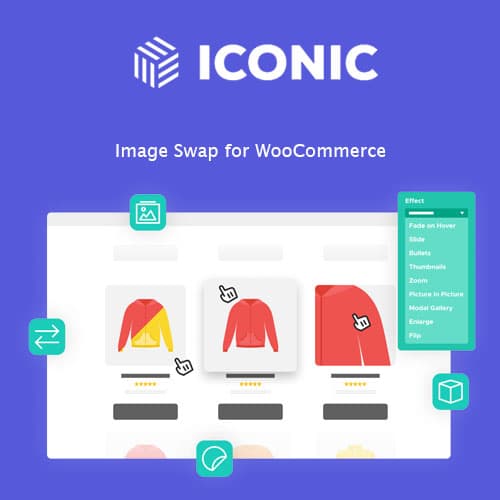
Easily preview product images with a simple hover effect.
Iconic Image Swap for WooCommerce
Iconic Image Swap for WooCommerce enhances product visibility by swapping thumbnail images on hover, improving user experience in your online store.
Included with purchase:
- 100% GPL Licensed
- Lifetime Updates
- Technical Support
- Instant Download
Download for Free
Get this product and unlock 4,500+ premium plugins & themes for just $15.00/month.
What is Iconic Image Swap for WooCommerce?
Iconic Image Swap for WooCommerce is a plugin that automatically swaps product thumbnail images with a secondary image on hover, enhancing the shopping experience. Available at PluginTheme.net with instant download and GPL license.
Key Features
Hover Image Swap
Instantly shows a secondary image on hover, enhancing product visibility.
Easy Integration
Simple setup process that integrates smoothly with your existing WooCommerce store.
Customizable Settings
Adjust settings to fit your store’s design and branding.
Responsive Design
Fully functional on all devices, ensuring a consistent experience for all users.
Lightweight Performance
Optimized for speed, ensuring that your site remains fast and responsive.
Who is this for?
Pros
- Enhances product visibility
- Easy to install and configure
- Responsive across devices
- Lightweight and performance-oriented
Cons
- •Requires secondary images for full functionality
- •Some users may need guidance on setup
Product Description
Iconic Image Swap for WooCommerce is a powerful tool for any eCommerce site utilizing the WooCommerce platform. This plugin is specifically designed to enhance the user experience by allowing customers to view additional product images without leaving the current page. The hover effect is intuitive and encourages users to interact with product listings.
Installation and Setup
Installing Iconic Image Swap is straightforward. After purchasing the plugin from PluginTheme.net, you can easily upload it to your WordPress dashboard. Once activated, navigate to the plugin settings to customize the hover image options according to your store's needs.
Customization Options
The plugin offers various customization settings, allowing you to choose which images to display on hover and how they appear. You can adjust the transition effects, timing, and even the size of the images to ensure they fit perfectly within your theme.
Performance Considerations
Iconic Image Swap is built with performance in mind. It is lightweight and does not add significant load time to your pages, which is crucial for maintaining a positive user experience. The plugin is also responsive, ensuring that the image swap feature works seamlessly across all devices, including desktops, tablets, and smartphones.
Use Cases
- Fashion Stores: Showcase different clothing styles or colors with ease.
- Electronics: Display various angles of gadgets or accessories.
- Home Goods: Highlight different views of furniture or decor items.
By implementing this plugin, store owners can provide a richer shopping experience that can lead to higher customer satisfaction and increased sales.