Fully customize your WordPress admin bar without coding.
Admin Menu Editor Pro - Toolbar Editor
Customize your WordPress admin bar effortlessly with Admin Menu Editor Pro - Toolbar Editor. No coding required.
Included with purchase:
- 100% GPL Licensed
- Lifetime Updates
- Technical Support
- Instant Download
Download for Free
Get this product and unlock 4,500+ premium plugins & themes for just $15.00/month.
What is Admin Menu Editor Pro - Toolbar Editor?
Admin Menu Editor Pro - Toolbar Editor is an essential add-on for WordPress administrators, allowing complete customization of the admin bar. Users can hide items, reorder elements, and create new entries without any coding knowledge. Available at PluginTheme.net with instant download and GPL license.
Key Features
Hide Toolbar Items
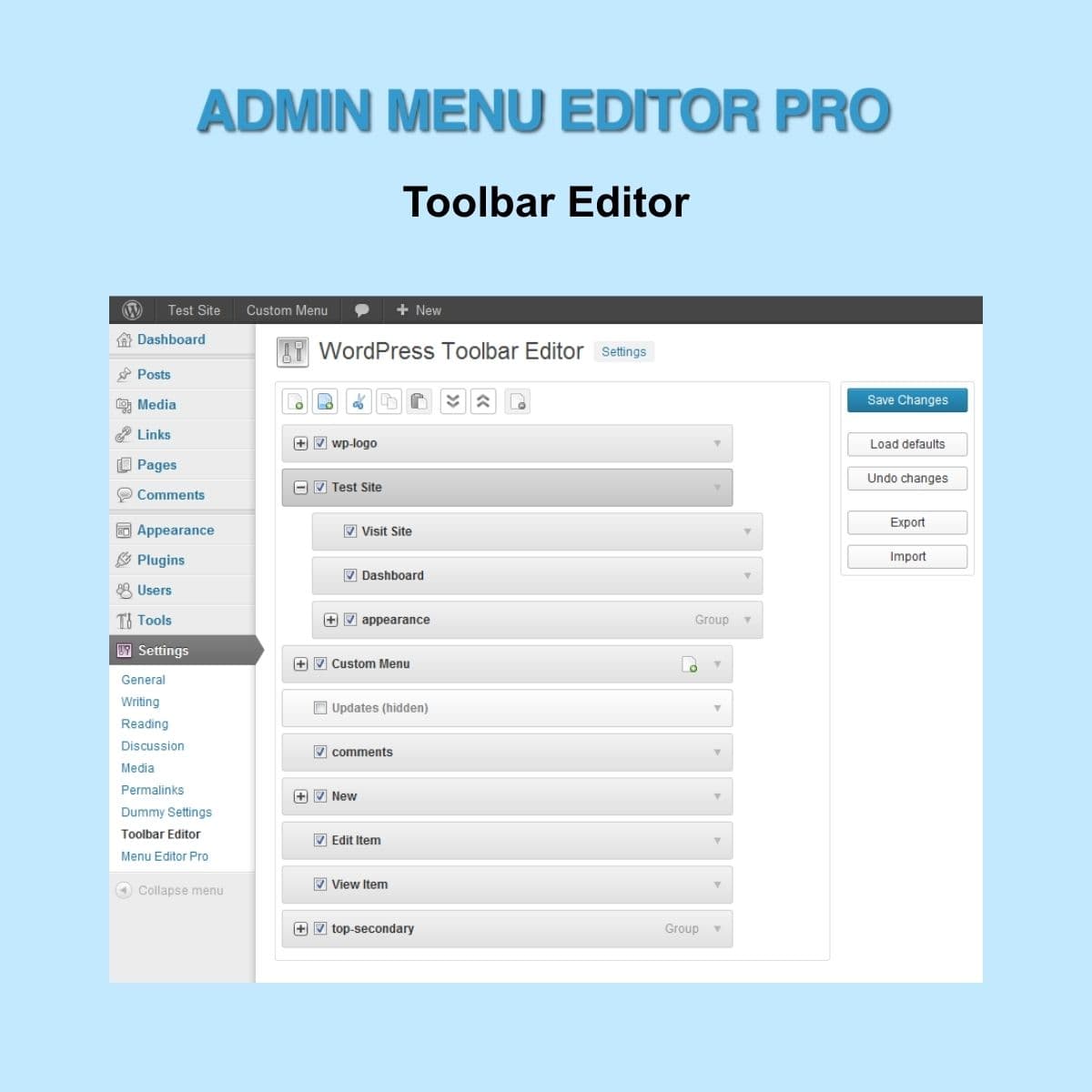
Easily hide individual items or entire groups from the admin bar.
Drag and Drop Reordering
Rearrange toolbar items with a simple drag-and-drop action.
Edit Item Properties
Modify titles, URLs, and CSS classes of toolbar items.
Create New Entries
Add new toolbar entries from scratch for complete control.
Import and Export Settings
Transfer custom settings across single-site and multisite installations.
Who is this for?
Pros
- User-friendly interface for customization
- No coding skills required
- Seamless import/export functionality
- Ideal for agencies managing multiple sites
Cons
- •Documentation could be more detailed
- •Advanced features may require a learning curve
Product Description
The Admin Menu Editor Pro - Toolbar Editor is a comprehensive solution for WordPress administrators who want to take control of their admin bar. This add-on enhances the capabilities of the Admin Menu Editor Pro, allowing for extensive customization without requiring any coding knowledge.
Comprehensive Customization
With the Toolbar Editor, users can hide specific items or entire groups from the admin bar. This feature is particularly useful for simplifying the interface for clients or team members who may not need access to all available options. The drag-and-drop functionality makes it easy to reorder items, ensuring that the most important tools are readily accessible.
Edit and Create Toolbar Items
The ability to edit item properties such as titles, URLs, and CSS classes allows for a tailored experience that aligns with your brand. Users can also create new toolbar entries from scratch, providing flexibility in how the admin bar is structured.
Seamless Integration
For agencies managing multiple WordPress installations, the import and export settings feature is invaluable. It allows for quick replication of custom settings across different sites, ensuring a consistent user experience. This functionality is essential for maintaining a clean and branded admin interface across various client sites.
Use Cases
- Agencies: Streamline the admin experience for clients by customizing the admin bar to show only relevant tools.
- Developers: Create a tailored admin interface for different user roles, enhancing usability and efficiency.
- Site Owners: Simplify the admin bar for personal use, focusing on the tools that matter most.
Admin Menu Editor Pro - Toolbar Editor is a must-have for anyone looking to enhance their WordPress admin experience. Available at PluginTheme.net with GPL licensing, it ensures that users can customize their tools without restrictions.